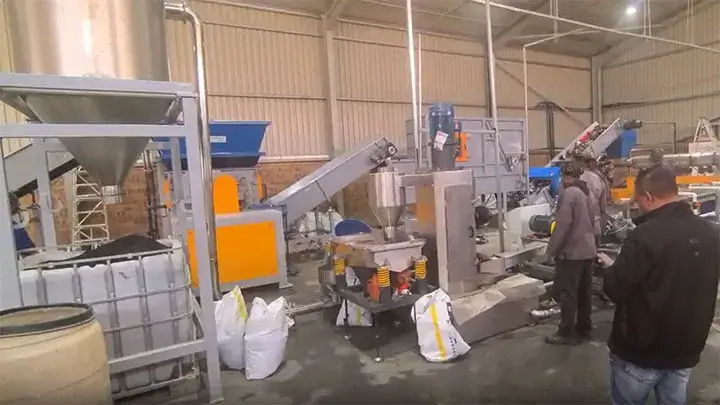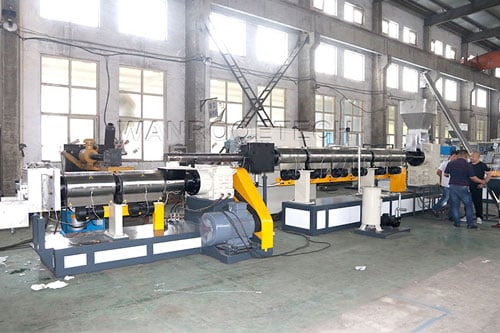
Plastic Granulating Machine
In the actual application of plastic granulators, some abnormal phenomena often appear that can affect orderly
operation. This article presents some self-help troubleshooting methods for common problems to shorten
troubleshooting time, thereby ensuring that plastic granulators can operate stably over the long term, and provides
guidance and reference for plastic granulator operators.
The Main Motor Runs Below Normal Speed or Shuts Down Instantaneously
Causes
- The main motor is not properly connected.
- Insufficient heating time or a heater does not work, resulting in excessive torque and motor overload.
Treatment Methods
- Check the wiring of the main motor.
- Check the temperature display of each section and find relevant records to confirm the preheating and heating
time. - Check whether the heaters are damaged or have poor wiring.
The Main Motor Rotates, but the Screw Does Not Rotate
Causes
- The transmission belt is loose and slips.
- The key has been sheared off.
- Gearbox failure.
Treatment Methods
- Adjust the center distance of the two pulleys and tighten the belt.
- Check the safety key, analyze the reason for shearing, and replace it.
- Check the gearbox.
The Screw Has Speed Display but Cannot Extrude Material
Causes
- There is no material in the hopper, or the feed port is blocked by foreign objects or produces «bridging»,
preventing material from discharging. - The screw has picked up metal or other hard objects (such as nuts, etc.) that block the screw groove and cannot
transport materials. - The screw is twisted off at the root of the feeding section.
- The temperature of the screw and barrel is too high, and the internal cooling of the screw is poor, causing the
shaft to seize. - Equipment wear.
Treatment Methods
- Add material to the hopper.
- Eliminate foreign objects at the hopper mouth or eliminate bridging.
- If it is confirmed that foreign objects have entered the extruder, shut down and remove the screw to remove the
blocked hard objects. - Check whether the driven pulley rotates. If it rotates normally and «no material» or «hard blockage» is ruled
out, the screw may be twisted. Shut down immediately, remove the screw, and replace or repair it. - Check the screw cooling water system and increase the screw cooling water flow.
- Perform equipment maintenance.
Extruded Products Contain Dirt
Causes
- Dirt in the material.
- Excessive carbon buildup in the extruder screw.
Treatment Methods
- Replace the material.
- Clean the screw. For light buildup, extrude directly using a screw cleaning agent. For heavy buildup, remove
the screw and clean it manually.
The Power Supply of the Main Motor of the Extruder Fluctuates Greatly
Causes
- A heater in a certain zone is not working, causing unstable torque.
- The bearings of the main motor are poorly lubricated or damaged, causing excessive vibration.
Treatment Methods
- Check whether the heaters in each zone are damaged. If so, replace them. Check whether the connections of each
heater are correct and secure. - Check the motor bearings, add lubricating oil, or replace the bearings.
Extruded Material Is Not Stable
Causes
- «Bridging» at the raw material feed port.
- The speed of the main motor is uneven and fluctuates.
The heating and cooling systems are not well matched, or the thermocouple error is too large.
Treatment Methods
- Clear the bridging at the hopper outlet.
- Check the main motor and control system.
- Adjust the heating power, check the contact and installation of the thermocouple, and check whether the
thermocouple is damaged. Replace the thermocouple if necessary.
Get a Professional Answer for Your Needs
To better provide you with a professional solution, please describe your parameters or technical requirements (such
as processing materials, output size, capacity, etc.) when sending an inquiry. We
will reply to you as soon as
possible.